Tablet - Battery Drains Fast
Read more
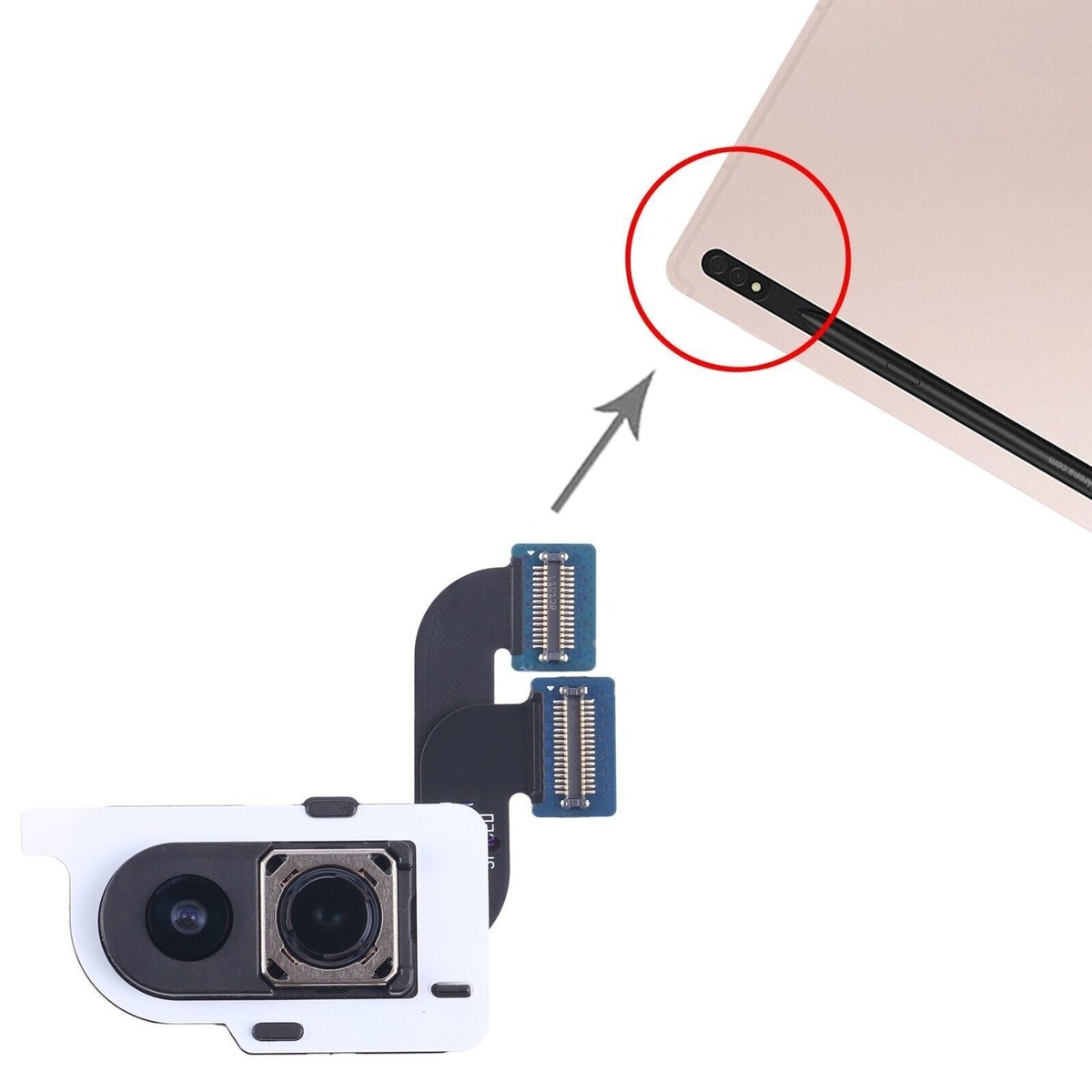
If your tablet’s rear camera is not working properly, blurry, or failing to open, continue reading to learn what may be causing the issue and how to fix it.
Tablet rear cameras are used for photography, video recording, scanning documents, and video calls. Problems can occur due to software glitches, outdated apps, physical damage, or dust and moisture affecting the camera lens or internal components. In some cases, the camera may show a black screen, fail to focus, or produce distorted images.
Start by restarting your tablet to reset the software. Make sure the camera lens is clean and free of fingerprints or debris. Check for system and app updates, as outdated software can cause camera malfunctions. Closing other apps that may be using the camera and clearing the camera app’s cache can also help resolve the issue.
If troubleshooting doesn’t solve the problem, professional repair may be required. The technicians at Cell Phone Repair can diagnose rear camera issues and replace faulty components quickly and safely. Visit a local store for same-day repairs or mail in your tablet at your convenience. Free estimates are available.
Other Issues

Get It Fixed Today!
CPR Cell Phone Repair can provide holistic warranty and repair solutions for all of your business’ devices.

Buy or Sell Your Device
CPR Cell Phone Repair can provide holistic warranty and repair solutions for all of your business’ devices.




All CPR Stores are independently owned and operated and may not offer all of the repair and warranty types listed on this website. Contact your local store for their specific repair capabilities and warranty terms. MMI-CPR, LLC and CPR Stores are not liable for warranties made by third parties on specific accessories or devices sold at CPR Stores. All product and company names are trademarks of their respective holders. iPhone, iPad, iPod, iPod touch, Mac and iMac are registered trademarks and property of Apple, Inc. CPR is a third-party repair company and is not affiliated with Apple.

Rear Camera Issue
If your tablet’s rear camera is not working properly, blurry, or failing to open, continue reading to learn what may be causing the issue and how to fix it.
Tablet rear cameras are used for photography, video recording, scanning documents, and video calls. Problems can occur due to software glitches, outdated apps, physical damage, or dust and moisture affecting the camera lens or internal components. In some cases, the camera may show a black screen, fail to focus, or produce distorted images.
Start by restarting your tablet to reset the software. Make sure the camera lens is clean and free of fingerprints or debris. Check for system and app updates, as outdated software can cause camera malfunctions. Closing other apps that may be using the camera and clearing the camera app’s cache can also help resolve the issue.
If troubleshooting doesn’t solve the problem, professional repair may be required. The technicians at Cell Phone Repair can diagnose rear camera issues and replace faulty components quickly and safely. Visit a local store for same-day repairs or mail in your tablet at your convenience. Free estimates are available.
Choose what you need fixed to begin your Free repair estimate — we’ll guide you every step of the way.
Smartphone
Computer
Tablet

Console
All CPR Stores are independently owned and operated and may not offer all of the repair and warranty types listed on this website. Contact your local store for their specific repair capabilities and warranty terms. MMI-CPR, LLC and CPR Stores are not liable for warranties made by third parties on specific accessories or devices sold at CPR Stores. All product and company names are trademarks of their respective holders. iPhone, iPad, iPod, iPod touch, Mac and iMac are registered trademarks and property of Apple, Inc. CPR is a third-party repair company and is not affiliated with Apple.