Computer Battery Replacement
Read more
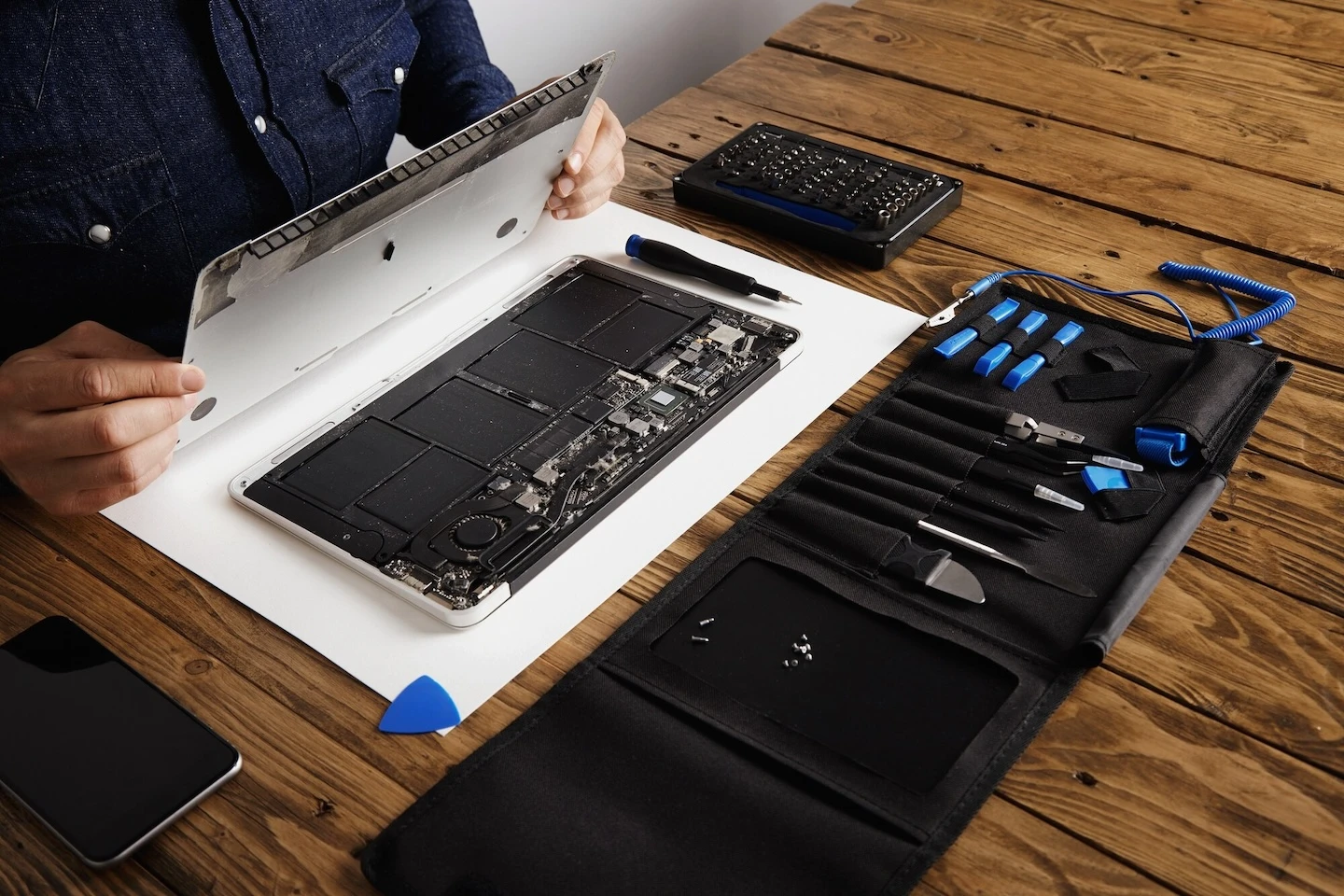
Your MacBook Pro is an extension of your life that houses critical documents, pictures, music, and other entities that revolve around your life. When the “brain” or battery to your MacBook Pro diminishes, so does a small piece of yourself. To subside mental and physical hysteria when your laptop refuses to properly function, continue reading to know your way to MacBook Pro battery replacement.
When you imagine your MacBook Pro, you envision a sleek, ultra-efficient design cast from premium aluminum. When your MacBook Pro’s battery begins to resemble a pufferfish as it begins to expand or swell, it’s time to replace the battery or turn to the experts at CPR Cell Phone Repair for assistance.
Generally, when a MacBook Pro’s battery cells are overcharged, they react negatively. When the lithium-ion batteries are overcharged, the lithium builds up faster than it can deplete, thus losing its stability. As the lithium loses stability, the reaction produces a combination of heat and gasses inside of the battery. Once gasses are produced and with little ventilation, the battery casing expands and gives off the swollen appearance.
An expanding or swelling battery for your MacBook Pro may start out as the trackpad malfunctioning or a noticeable bulge in your laptop’s case. Overcharging the lithium battery is the leading cause of swelling and expanding. MacBook Pro battery malfunctions also attribute to manufacturing defects, battery life, or mistreatment such as using the incorrect power cord or not exercising the battery.
Even with battery manufacturers developing safeguards to withstand swelling and expansion, all technology can malfunction. If your battery is swelling or expanding, it’s time to replace the battery for your MacBook Pro immediately.
To prevent your MacBook Pro’s battery from swelling or expanding follow these tips: avoid overcharging, keep your device in a cool environment, replace the battery when it’s noticeably exhausted or not charging, and monitor your MacBook Pro’s battery life. To ensure your battery level is not overcharging, click on the Apple logo > about this mac > more info > system report > power.
Pro Tip: All Mac chargers cease charging by displaying an “orange” LED on the charging cable and “green” when the battery is topped off. Apple recommends you optimize your MacBook’s settings in terms of energy, brightness, Wi-Fi, applications and peripherals to help prolong the life of the battery.
If your MacBook Pro’s battery is swollen and expanding, you must exercise extreme caution as the gasses that have built up within are exceptionally toxic. It is imperative that you take the correct precautions when replacing the MacBook Pro battery to avoid injury to yourself and others. If the battery is difficult to remove, do not go any further as serious injury can occur. If you manage to remove the swollen battery, place it in a cool container to avoid the heat.
Once removed dispose at an authorized battery facility and not just in the trash. Many CPR Cell Phone Repair locations have the equipment and processes to safely handle batteries. Other locations include your nearest Apple Store, Best Buy, and Target. Overall it’s best to have a professional technician remove and replace the swollen or expanded battery.
To avoid possible injury, replace your MacBook Pro’s battery with a qualified vendor that provides the best quality parts, and elite technical knowledge. Typical turnaround time for a battery replacement varies by vendor, so be sure to ask your technician when scheduling a drop-off.
Apple provides a one-year limited warranty that covers the replacement costs for a defective battery. If you happened to purchase the AppleCare Protection Plan, additional replacement coverage for the battery is included. A complete replacement of the MacBook Pro Battery is included in the AppleCare Protection Plan at no additional charge if the battery retains less than 80 percent of its original capacity. Without the AppleCare Protection Plan, Apple charges a substantial fee. See the chart below for a complete breakdown to replace your MacBook Pro battery at an Apple location.
Another option to replace the battery for your MacBook Pro is to visit your nearest Best Buy location. Best Buy’s team of technicians, also known as Geek Squad, offers to replace your MacBook Pro battery for around $40.00 plus the cost of install. Expect a two-week turn around for all MacBook Pro battery repairs and to pay $120.00 to $150.00 when choosing Geek Squad.
At CPR Cell Phone Repair, all MacBook Pro parts come from preferred dealers that ensure high-quality parts and consistency across the network of over 300+ locations. Along with CPR delivering only the most elite parts, all battery repairs are also backed by a 6-month warranty. Sure, you can buy a MacBook Pro battery online but based on the diversity of quality on products found online, there’s no real way to be certain that you’re getting the highest quality product or a warranty like you would at a CPR Cell Phone Repair location. The experts at CPR Cellphone Repair can fix your MacBook Pro battery in about an hour for around $130.00 with labor included!
It is imperative to review all possible options prior to replacing the MacBook Pro battery yourself. If you choose to repair the battery yourself, you need to know what model MacBook you have prior to purchasing a new battery. To successfully identify what MacBook Pro model you have, click here.
After you locate your MacBook Pro’s identification number, you can then enter it into EveryMac.com’s, Ultimate Mac Lookup feature to identify all of your MacBook Pro’s specs. You can also identify MacBook Pro’s by their serial number, which happens to be located on the bottom of the laptop within the operating system near the hinge.
Once you’ve discovered the correct replacement battery for your MacBook Pro, follow the instructions below on how to safely replace the old with the new.
To ensure your Apple MacBook Pro battery is properly replaced the first time, you can rely on the expert repair services of CPR Cell Phone Repair. We keep parts from most common MacBook repairs in stock, so you’ll never wait weeks for your precious devices. We also offer a mail-in repair service for customers who can’t get to a local store.
Other Issues



CPR Cell Phone Repair can provide holistic warranty and repair solutions for all of your business’ devices.

CPR Cell Phone Repair can provide holistic warranty and repair solutions for all of your business’ devices.