Home
Smartphone Repair
Common-issues

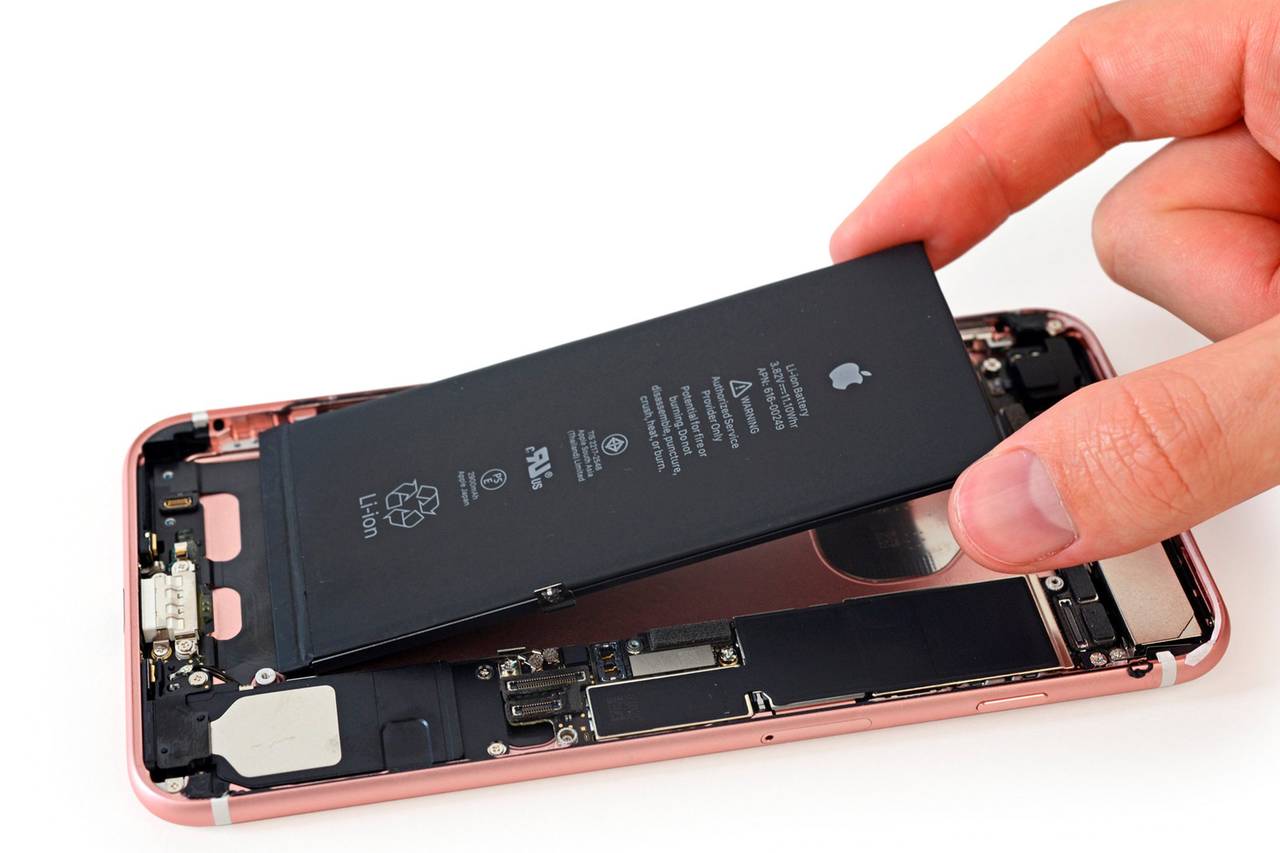
Battery Issue

Common issues banner image

If your smartphone battery is not performing as expected, continue reading to learn about common battery problems, possible causes, and available repair solutions to keep your device running reliably.

Common Smartphone Battery Problems


Your smartphone battery powers every function of your device, from basic calls and messaging to app usage, streaming, and navigation. Over time, batteries naturally degrade and lose their ability to hold a full charge. Common battery-related issues include rapid battery drain, the phone shutting down unexpectedly, overheating, slow charging, or the battery percentage jumping up and down. These problems often become more noticeable as the device ages.

Causes of Battery Issues


Battery problems can be caused by several factors. Heavy daily usage, running power-hungry apps, frequent charging cycles, and exposure to extreme temperatures can all shorten battery lifespan. Software issues, outdated operating systems, or malfunctioning apps running in the background may also contribute to excessive power consumption. In some cases, physical damage, liquid exposure, or a swollen battery can create serious performance and safety concerns.

Troubleshooting Battery Problems


To troubleshoot battery issues, start by checking battery usage in your phone’s settings to identify apps consuming excessive power. Lowering screen brightness, disabling unnecessary background apps, turning off location services, Bluetooth, and Wi-Fi when not in use, and enabling battery saver mode can help extend battery life. Restarting your device and installing the latest software updates may resolve software-related battery drain. Avoid using the phone while charging and use only certified charging accessories.

Risks of Ignoring Battery Issues


Ignoring battery problems can lead to more serious complications. A failing battery may swell, overheat, or leak, potentially damaging internal components or causing the phone to become unsafe to use. Sudden shutdowns can result in data loss, missed calls, and interruptions to daily activities. Addressing battery issues early can help prevent further damage and extend the life of your smartphone.

Repairing Smartphone Battery Issues


If troubleshooting steps do not improve battery performance, professional repair may be necessary. The technicians at Cell Phone Repair can diagnose battery-related problems and replace failing batteries quickly and safely. Visit a local store for same-day service or mail in your smartphone at your convenience. Free estimates are always available.

Other Issues

Get It Fixed Today!

CPR Cell Phone Repair can provide holistic warranty and repair solutions for all of your business’ devices.

Button
Business card image

Buy or Sell Your Device

CPR Cell Phone Repair can provide holistic warranty and repair solutions for all of your business’ devices.


Button
Education card image
Home
Smartphone Repair
Battery Issue - smartphone

Battery Issue

If your smartphone battery is not performing as expected, continue reading to learn about common battery problems, possible causes, and available repair solutions to keep your device running reliably.

Common Smartphone Battery Problems


Your smartphone battery powers every function of your device, from basic calls and messaging to app usage, streaming, and navigation. Over time, batteries naturally degrade and lose their ability to hold a full charge. Common battery-related issues include rapid battery drain, the phone shutting down unexpectedly, overheating, slow charging, or the battery percentage jumping up and down. These problems often become more noticeable as the device ages.

Causes of Battery Issues


Battery problems can be caused by several factors. Heavy daily usage, running power-hungry apps, frequent charging cycles, and exposure to extreme temperatures can all shorten battery lifespan. Software issues, outdated operating systems, or malfunctioning apps running in the background may also contribute to excessive power consumption. In some cases, physical damage, liquid exposure, or a swollen battery can create serious performance and safety concerns.

Troubleshooting Battery Problems


To troubleshoot battery issues, start by checking battery usage in your phone’s settings to identify apps consuming excessive power. Lowering screen brightness, disabling unnecessary background apps, turning off location services, Bluetooth, and Wi-Fi when not in use, and enabling battery saver mode can help extend battery life. Restarting your device and installing the latest software updates may resolve software-related battery drain. Avoid using the phone while charging and use only certified charging accessories.

Risks of Ignoring Battery Issues


Ignoring battery problems can lead to more serious complications. A failing battery may swell, overheat, or leak, potentially damaging internal components or causing the phone to become unsafe to use. Sudden shutdowns can result in data loss, missed calls, and interruptions to daily activities. Addressing battery issues early can help prevent further damage and extend the life of your smartphone.

Repairing Smartphone Battery Issues


If troubleshooting steps do not improve battery performance, professional repair may be necessary. The technicians at Cell Phone Repair can diagnose battery-related problems and replace failing batteries quickly and safely. Visit a local store for same-day service or mail in your smartphone at your convenience. Free estimates are always available.

Get Started — We’ll Help You Fix It

Choose what you need fixed to begin your Free repair estimate — we’ll guide you every step of the way.

Black smartphone showing colorful abstract wallpaper on screen, back facing left displaying dual cameras and flash.

Smartphone

Silver laptop floating with screen showing northern lights over water.

Computer

Front and back views of a tablet with a touchscreen display and a stylus pen beside it.

Tablet

White PlayStation 5 console with a matching DualSense controller.

Console